 Bitloom docs
CI and build servers
Bitloom on a shared build machine and in CI: headless runs with JUnit reports, the build service and dashboard as system services, profiles shared by a team, many images, machines and devices. One build service still runs one build at a time: a serial queue keeps BitBake servers from fighting over a build directory.
A build server: run Bitloom as a service#
On a shared build machine you want the build service, and usually the dashboard, running after a reboot and without a terminal open. Bitloom installs them as systemd user services (no root needed):
$ bitloom --service-install --web --host 127.0.0.1 --port 8765
wrote ~/.config/systemd/user/bitloom.service
wrote ~/.config/systemd/user/bitloom-web.service
enabled and started bitloom.service, bitloom-web.service
dashboard: http://127.0.0.1:8765/#token=…
to keep it running when you log out: loginctl enable-linger <you>
bitloom.serviceruns the build service for the state folder (--state, default.bitloomin the current folder, resolved to an absolute path);bitloom-web.serviceruns the dashboard on top of it. Without--webonly the build service is installed: the TUI andbitloom --webattach to it as usual.- The dashboard keeps its token in
<state>/web.token(mode 0600,--persistent-token), so the URL, and your bookmark, survives restarts. Keep the default loopback address and reach it with an SSH tunnel (ssh -L 8765:127.0.0.1:8765 build-server). - A build service already started by Bitloom is stopped first (only when idle), so there is never more than one per state folder. The unit's
PATHis your loginPATHwithout WSL's Windows folders. bitloom --service-statusshows the units and the jobs;bitloom --service-uninstallstops and removes them.--service-nameinstalls several (one per state folder).loginctl enable-lingerkeeps user services running when you are not logged in: run it yourself once.- Under WSL, systemd must be enabled in
/etc/wsl.conf([boot] systemd=true).
Check BitBake files in a merge request#
bitloom --lint meta-acme checks recipes, appends, classes, includes and configuration files against the project's own layers in seconds, without BitBake: old override syntax, :append without its space, unknown classes, missing includes, typos in variable names, machines and image features the release does not have. It exits 2 on errors (--fail-on warning to be stricter), and --format json feeds other tools. See BitBake assistant.
Headless CI runs#
bitloom --ci runs operations without the TUI, with the same profiles, runtimes, serial queue and history:
bitloom --config ci/profiles.json --state .ci \
  --ci kas-build --ci build:core-image-minimal \
  --profile product-a --profile product-b \
  --junit results.xml --summary summary.json
--ci ACTION[:TARGET]is repeatable;bitloom --list-actionslists the identifiers. Interactive operations and operations needing other inputs are refused.--profileis repeatable: the matrix runs every operation on every profile, serially.--annotations auto|github|gitlab|plain(defaultauto, fromGITHUB_ACTIONS/GITLAB_CI) folds each job's log into a collapsible section and turns failed tasks and the most frequent warnings into annotations.--junitwrites one test case per job (failed tasks, last errors and task log paths in the failure);--summarywrites JSON with status, exit code, duration, task and setscene counts, sstate hit rate, warning groups, failed tasks and the images produced.- Operations the profile's Yocto release does not provide are skipped with a warning (
<skipped>in JUnit), so one matrix can span Scarthgap and Wrynose. --fail-faststops at the first failure. SIGTERM and Ctrl+C stop the running job cleanly. Exit code 0 means every job that ran succeeded.
Example GitHub Actions step:
- run: bitloom --config ci/profiles.json --state .ci --ci kas-build --junit results.xml --summary summary.json
- uses: actions/upload-artifact@v4
  if: always()
  with: { name: bitloom-reports, path: "results.xml\nsummary.json\n.ci/logs/" }
Team profiles#
Share profiles through NFS or a repository with include:
{
  "active": "product-a",
  "include": ["/nfs/yocto/team-profiles.json", "../shared/profiles.json"],
  "profiles": [ { "name": "my-experiment", "root": "/home/me/src/product", "mode": "kas-container" } ]
}
Included files contain a profiles array. Relative paths resolve from the profiles file; environment variables such as $HOME expand. Team profiles are read-only: the profile editor shows only your own, the switcher (P) marks them team, and clone creates an editable copy. An unreachable include is reported in Configuration instead of preventing Bitloom from starting.
Setup and infrastructure checks#
Configuration and bitloom --doctor (exit code 2 when a check warns) include host checks that new team members otherwise discover one failed build at a time: CPU cores, memory, Python, UTF-8 locale, inotify watches, open-files limit, Docker/Podman, kas and git, and on WSL a reminder to keep builds on the Linux filesystem.
They also report the filesystem of the build directory, TMPDIR, DL_DIR and SSTATE_DIR. TMPDIR or the build directory on NFS, CIFS, 9p or drvfs is a warning (locking, hard links, speed); shared downloads and sstate on network storage are fine, with a reminder that a read-only SSTATE_MIRRORS plus a local SSTATE_DIR scales better when many builders write.
Configuration → n (or bitloom --doctor --network) probes the shared infrastructure configured in local.conf: SSTATE_MIRRORS, PREMIRRORS, MIRRORS (TCP reachability or mounted file:// paths), BB_HASHSERVE, BB_HASHSERVE_UPSTREAM and PRSERV_HOST. It never downloads or authenticates.
Many images and machines#
Artifacts → m shows the image matrix: for every MACHINE in tmp/deploy/images, each image file with its size and date and the package count from its manifest, plus SDK installers.
Many devices#
Configure devices in Developer → Devices (SSH, labgrid places, console and test commands). Fleet status (Developer → Board view → Fleet status, or bitloom --fleet) probes every device at once with SSH BatchMode or labgrid-client show, with timeouts, and writes fleet-status.json. --fleet exits 1 unless every device is online, so a lab health job can gate on it.
Builds started elsewhere#
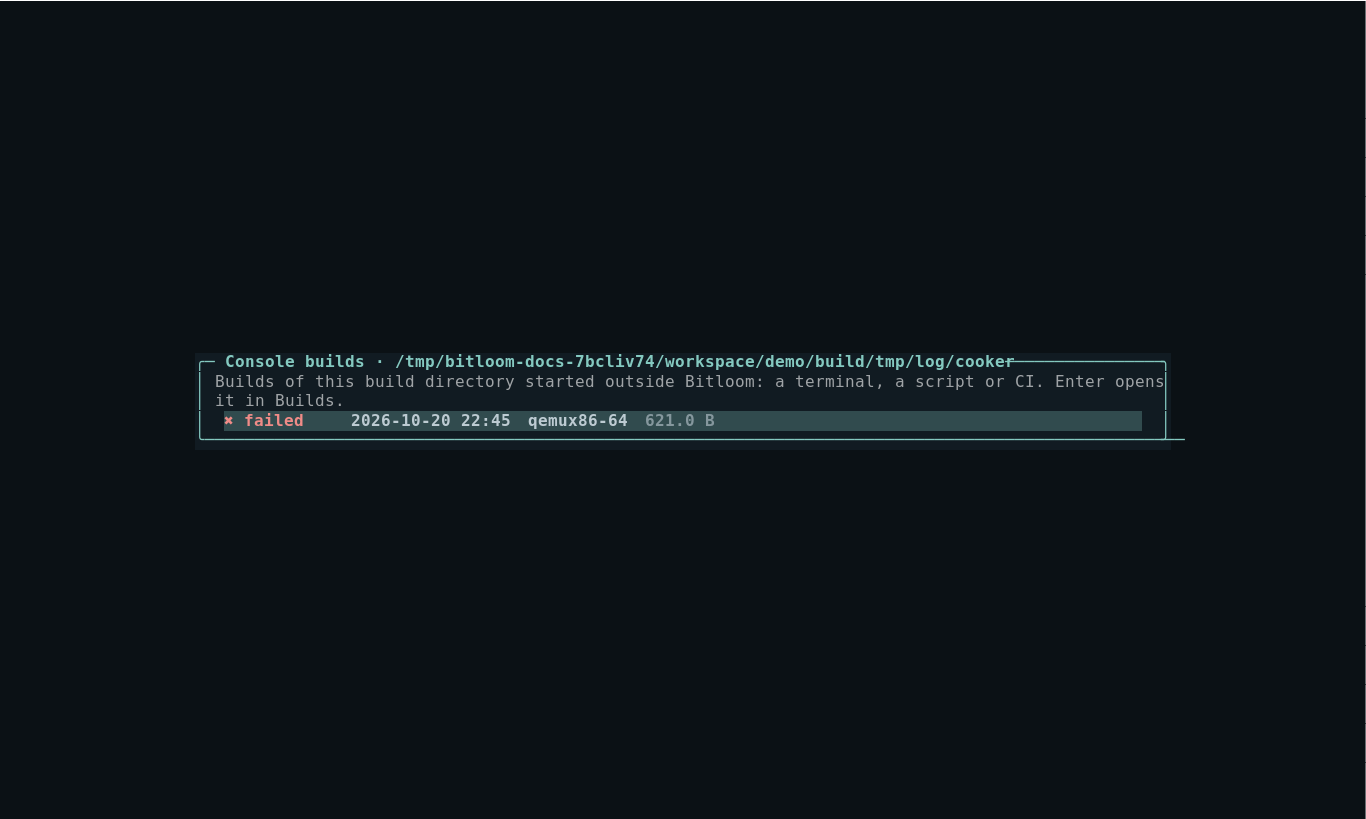
BitBake writes the complete console of every build to tmp/log/cooker/<MACHINE>/<timestamp>.log. Builds → c lists them, classified from their task summary, including builds started from a terminal, a script or CI. Opening one gives the same search, errors-only filter and reports as a Bitloom job, without having had Bitloom running at the time. The web dashboard lists them under the history.
Screenshot Console builds picker
Project launcher scripts#
Products built with a script (YML=board.yml ./run_build.sh build) use the wrapper runtime; what the script must do, a ready example and the profile are in Where your build runs.
Team chat notifications#
Point the build service at a Slack, Teams or Mattermost incoming webhook (or an ntfy topic the team subscribes to) in Configuration → o: every long build on a shared build machine posts its outcome, profile, duration and failing task log, with no TUI attached. See Daily helpers.
Profiles from other versions#
Profiles and history written by a newer or older Bitloom load with unknown keys ignored (Configuration lists them). The build service reports its version: when it is older than the client, the TUI and the web dashboard ask you to restart it when idle (bitloom --service-stop).