 Aurora OS
Download
Aurora OS
Download
Built for developers
Open the terminal. Start working.
No afternoon of setup. The essentials are already installed and configured, and heavier toolchains are one click away, always at their latest version.
~/code/api  main py 3.13
user@aurora:~/code/api$ git pull && docker compose up -d
✔ Container api-db-1   Started
✔ Container api-web-1  Started
~/code/api  main took 3s
user@aurora:~/code/api$ portop
 PORT   PROTO  PROCESS      SERVICE / CONTAINER
 5432   tcp    postgres     api-db-1
 8000   tcp    uvicorn      api-web-1
 3000   tcp    node         —
 [k] kill  [o] open  [f] filter  [,] settings
Preinstalled and configured
Ptyxis, the terminal, has tabs, profiles and one-click shells inside your distrobox, toolbox and podman containers. Add an informative prompt (git status, language versions, command duration), Ctrl+R fuzzy history and sensible aliases. Docker starts on first use, so it costs nothing at boot.
portop shows what's using every port (process, systemd service or Docker container) and stops it with one key. pkgtui searches, installs, removes and upgrades apt, Flatpak and Snap packages from one terminal UI.
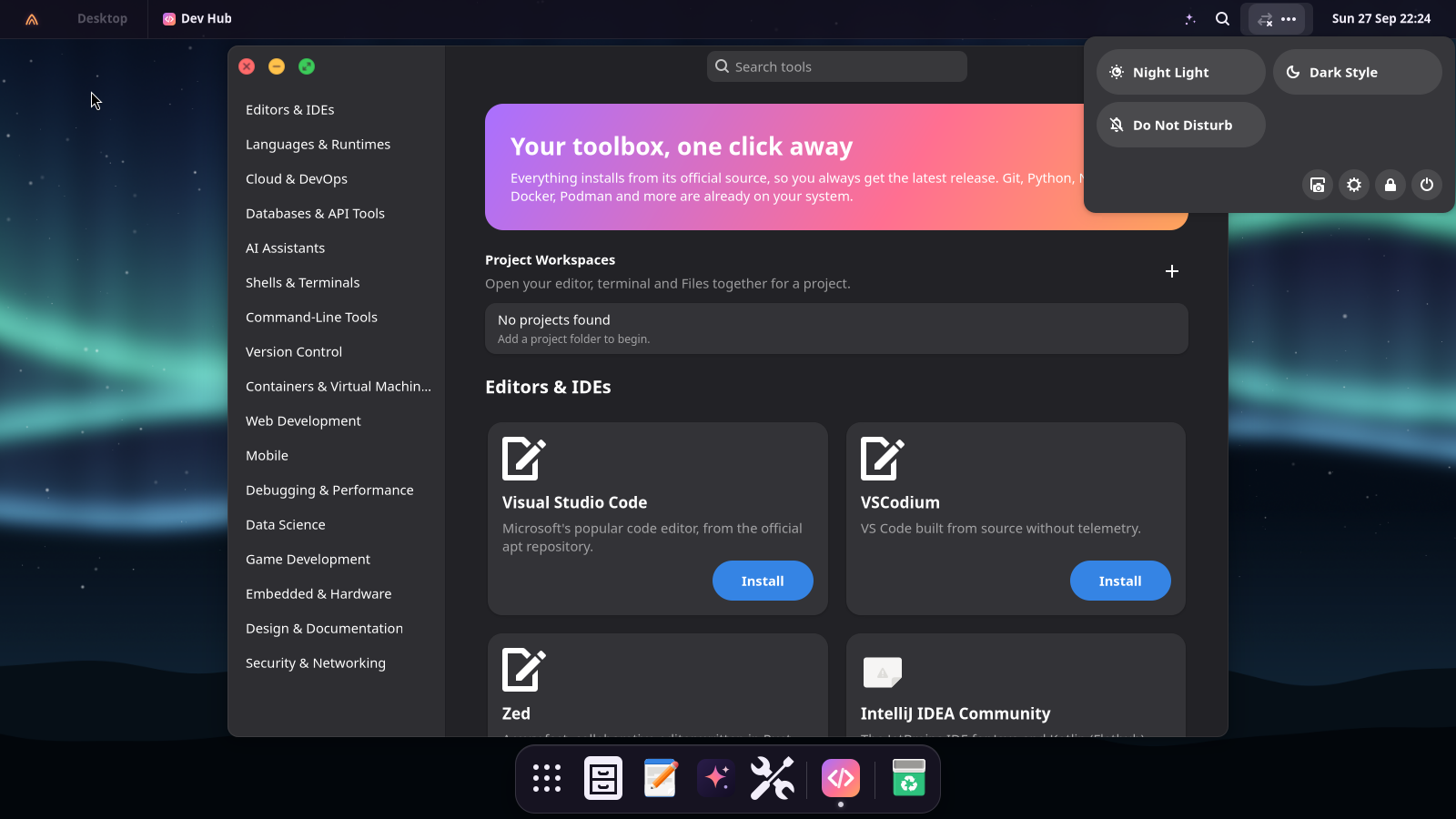
Dev Hub: your toolbox in one click
About 90 tools in 17 categories, with a sidebar to jump between them and a search box. Each one installs from its official source, so you always get the newest release, and you see every step in a terminal. The Projects section lets you add a folder, choose an editor and decide whether its workspace opens a terminal and Files too. Open the workspace here or from a project's Spotlight context menu.
- Editors, languages, cloud, databases: VS Code, VSCodium, Zed, JetBrains IDEs, Android Studio, Rust, Go, Java, uv, Bun, Deno, GitHub CLI, kubectl, Terraform, AWS CLI, PostgreSQL, MariaDB, Redis, MongoDB, DBeaver, Postman.
- AI assistants: Claude Code and Codex (sign in with your subscription), Ollama for more local models.
- Shells & terminals: Zsh with Oh My Zsh, fish, a one-click switch of the default shell (and back to Bash), Starship, Zellij, kitty, Alacritty, WezTerm, Tilix, Terminator, GNOME Console.
- Command line and version control: eza, yq, just, zoxide, Atuin, delta, Glow, Meld, GitLab CLI, GitHub Desktop, GitKraken, Sublime Merge.
- Containers & VMs: Podman Desktop, Virtual Machine Manager, GNOME Boxes, kind, k9s, Helm, lazydocker.
- Web, mobile, debugging: Chrome, Chromium, mkcert, Caddy, nginx, Android platform tools, Flutter, gdb/valgrind/strace/perf, hyperfine, Wireshark, Bruno, Insomnia, Dev Toolbox.
- Data, games, hardware, design, security: JupyterLab, Miniforge, R, Octave, Godot, Blender, LÖVE, Arduino IDE, PlatformIO, KiCad, serial consoles, Inkscape, GIMP, draw.io, Obsidian, Zeal, Nmap, ZAP, Tailscale, Mosh.
Installations, local AI downloads and file transfers appear in the top bar's Activities menu; Files transfers can be cancelled there and retried from Files if they fail.
AI for developers
Your terminal understands you.
With Aurora AI turned on, ask turns a sentence into a
command (it runs only if you say yes) and cmd 2>&1 | why explains a failure
and the fix. Right-click a source file in Files and ask about it, or search your projects
in Spotlight by name: Enter opens them in your editor; right-click opens the whole
configured workspace.
Game Hub
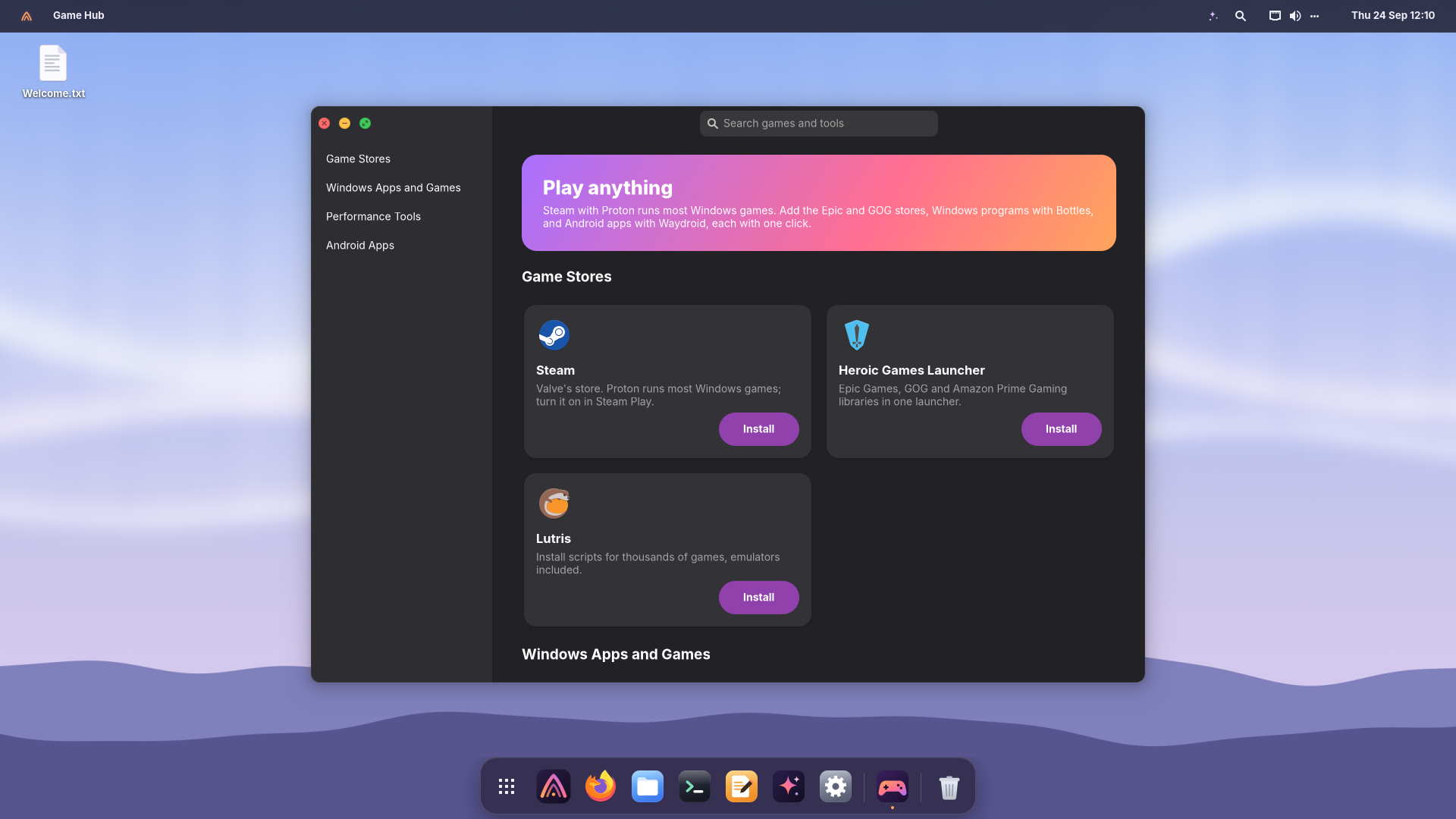
Play anything.
Steam with Proton runs most Windows games. Game Hub adds the Epic and GOG stores (Heroic), Lutris, Windows programs with Bottles, newer Proton builds (ProtonUp-Qt), GameMode and MangoHud, and Android apps with Waydroid. One click each, from the sources their developers recommend.
From the repository
Build it, run it, preview the site.
Everything runs in Docker; QEMU/KVM boots the result. Install
docker.io qemu-system-x86 qemu-utils ovmf first.
💿 Build and boot the ISO
make iso        # out/aurora-os-VERSION-amd64.iso
make run        # boot it in a QEMU window (BIOS)
make run-uefi   # the same with UEFI firmware
make test       # static, unit and smoke tests
No repository? Boot the ISO alone with the command in the install guide.
🌐 Preview this website
make site                  # rebuild the pages
tools/serve-site.py --open # http://127.0.0.1:4173
tools/serve-site.py --lan  # also for other devices on your network
It serves docs/, the same folder GitHub Pages publishes. With
--lan it prints the address to open from a phone or another PC. If the port
is taken it moves to the next free one; --port picks another.